Translated from English by gtranslate.io
This is an old revision of the document!
 ====== Store Full of Maps, Routes, POIs, Features and Graphics ======
Locus Store is the place where you can get content for Locus Map. Content is provided either by us, Asamm Software, or by our partners - map providers, guides or developers. There are five main categories:
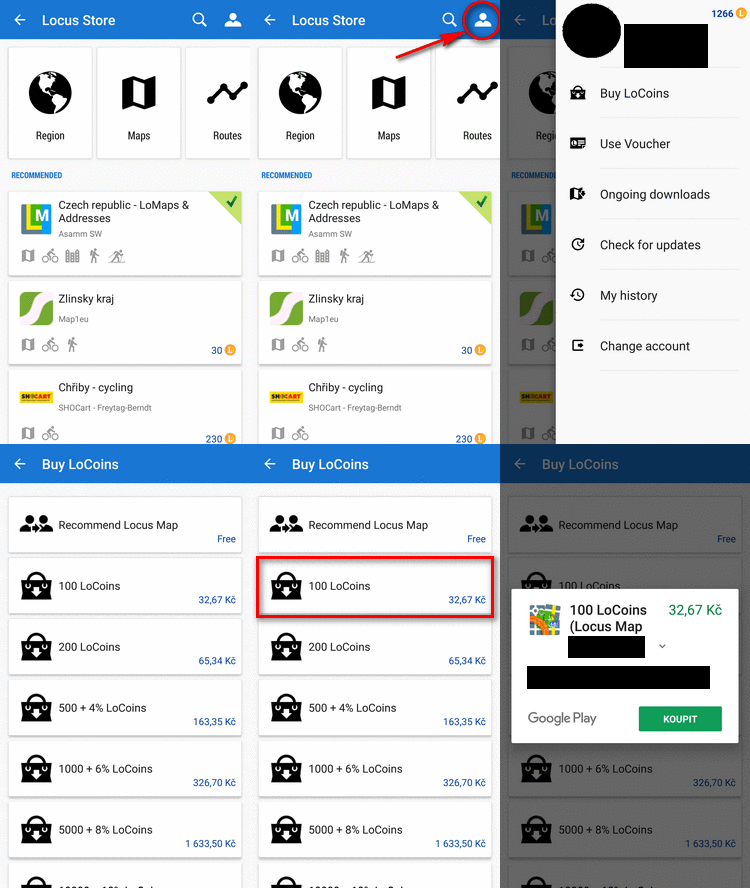
Some products in Locus Store are available for FREE, some are paid. All purchases in Locus Store are paid by our internal virtual currency - LoCoins. This currency can be bought in your Locus Store User Profile and the transaction is processed via Google Play Store or Amazon.
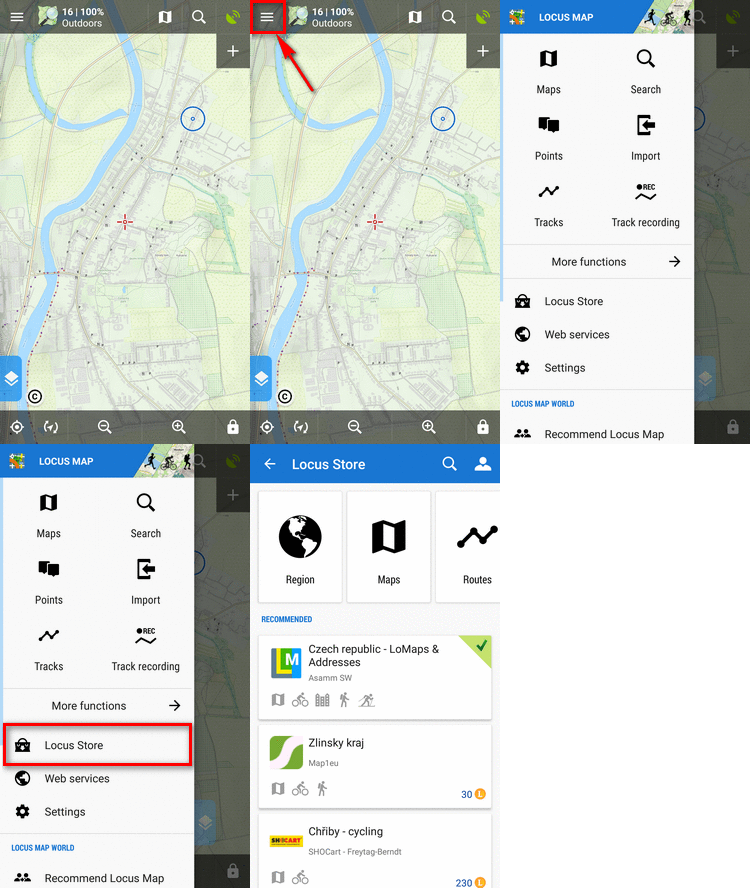
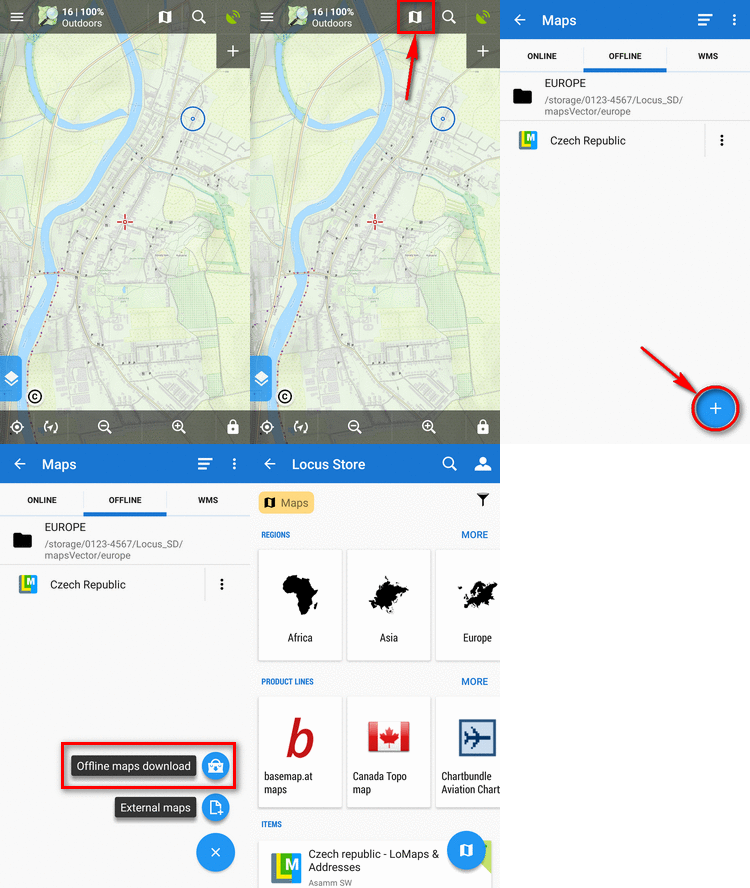
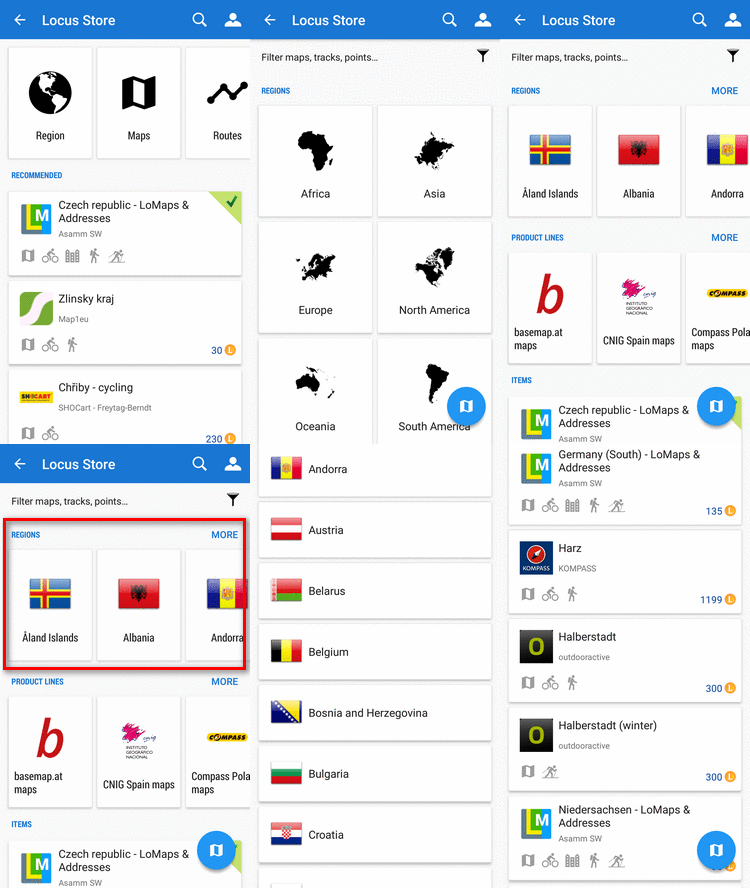
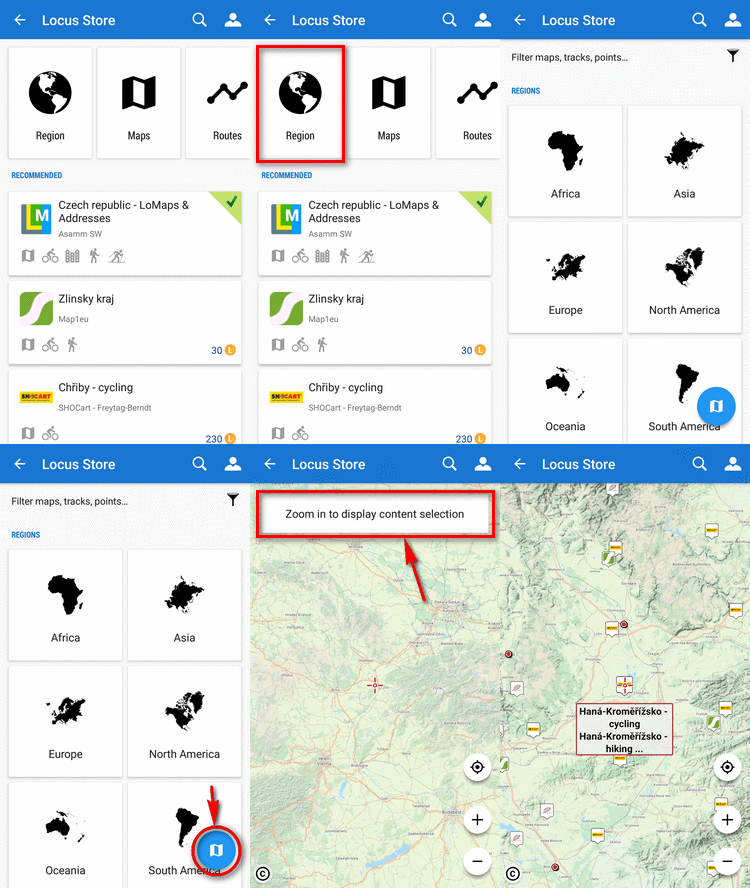
This way you get to the general Store screen where you can select among all products:
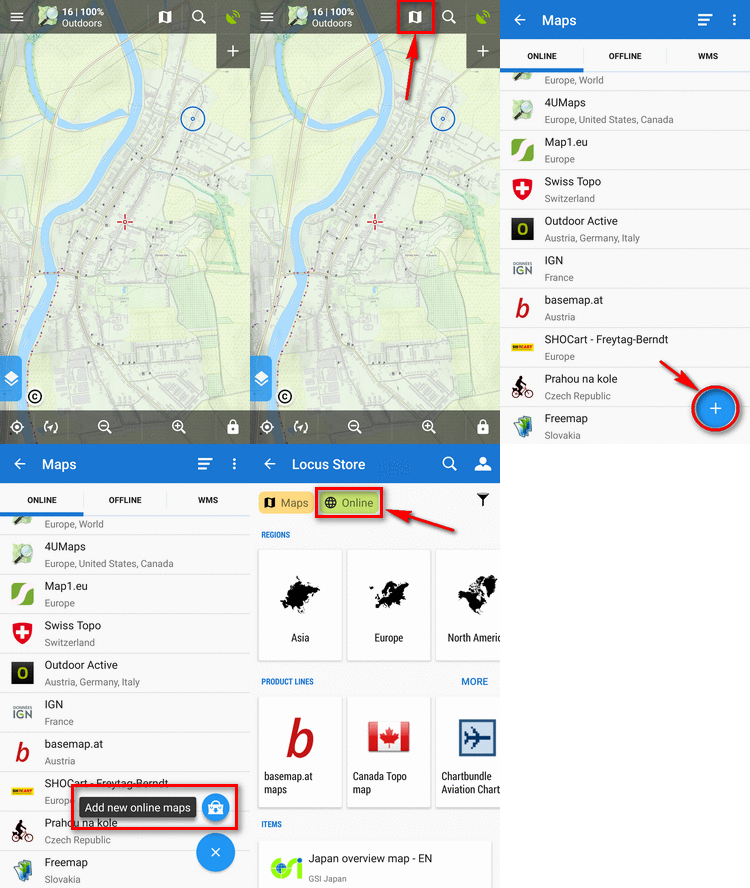
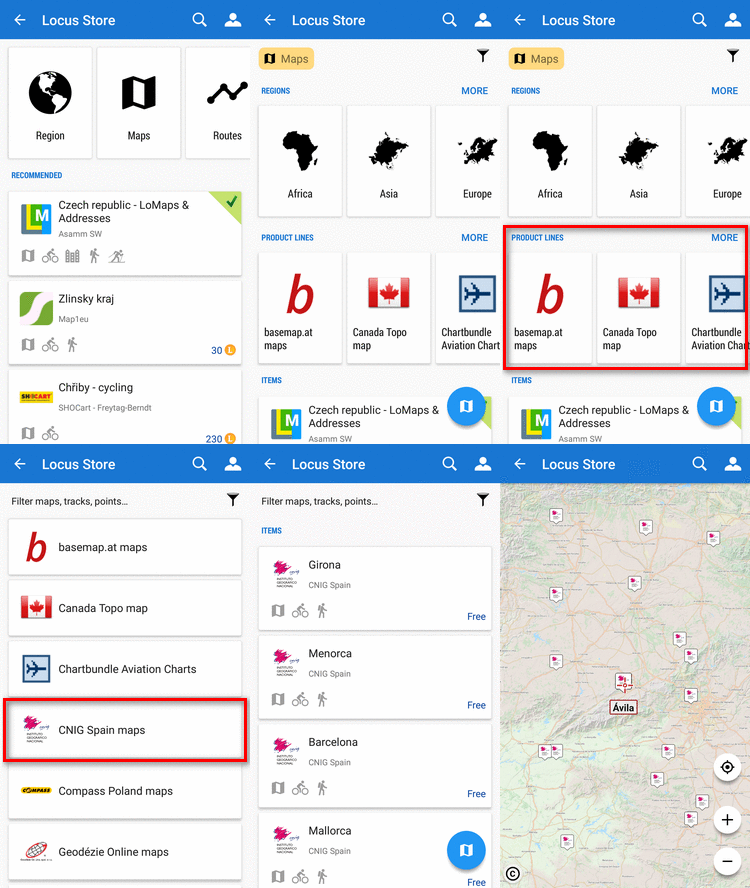
This way you get directly to the selection of online maps:
This way you get directly to the selection of offline maps:
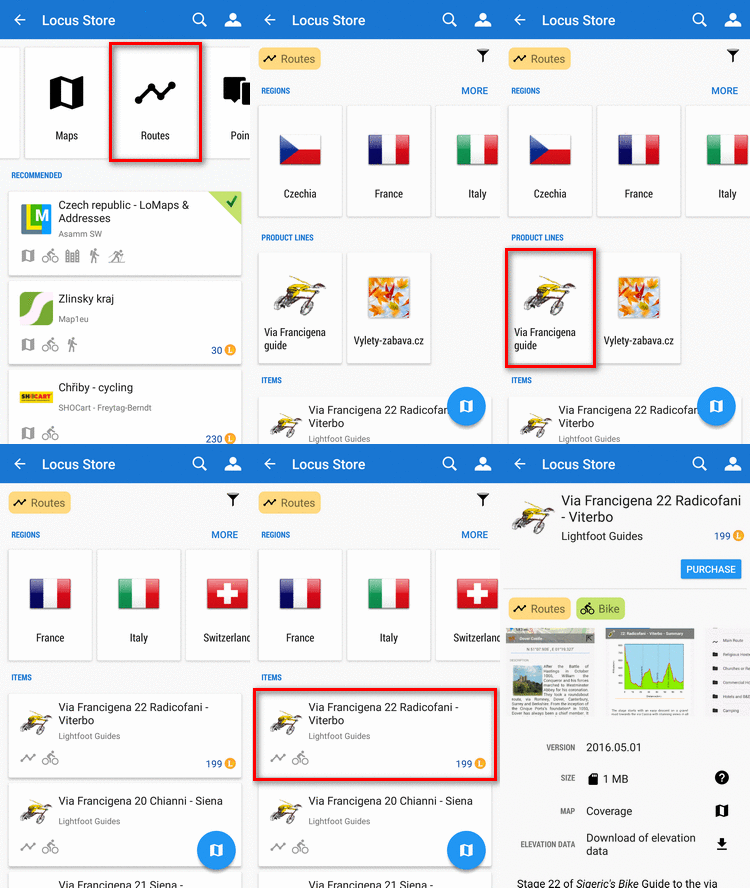
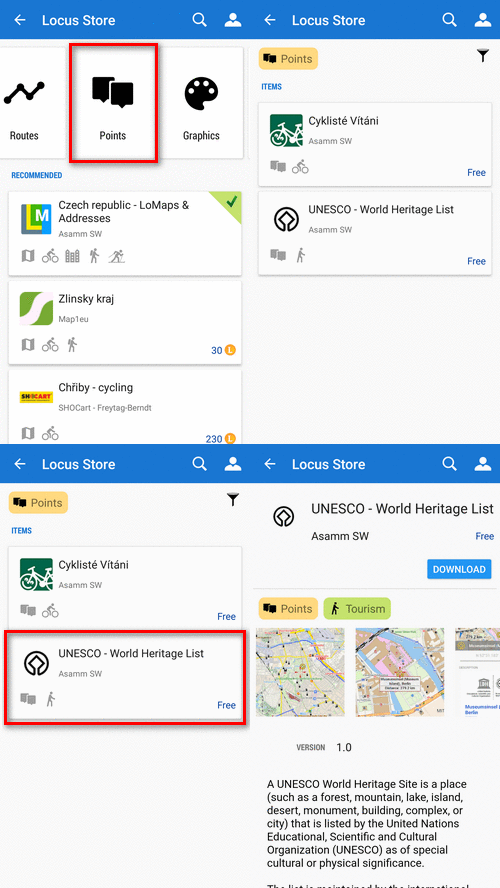
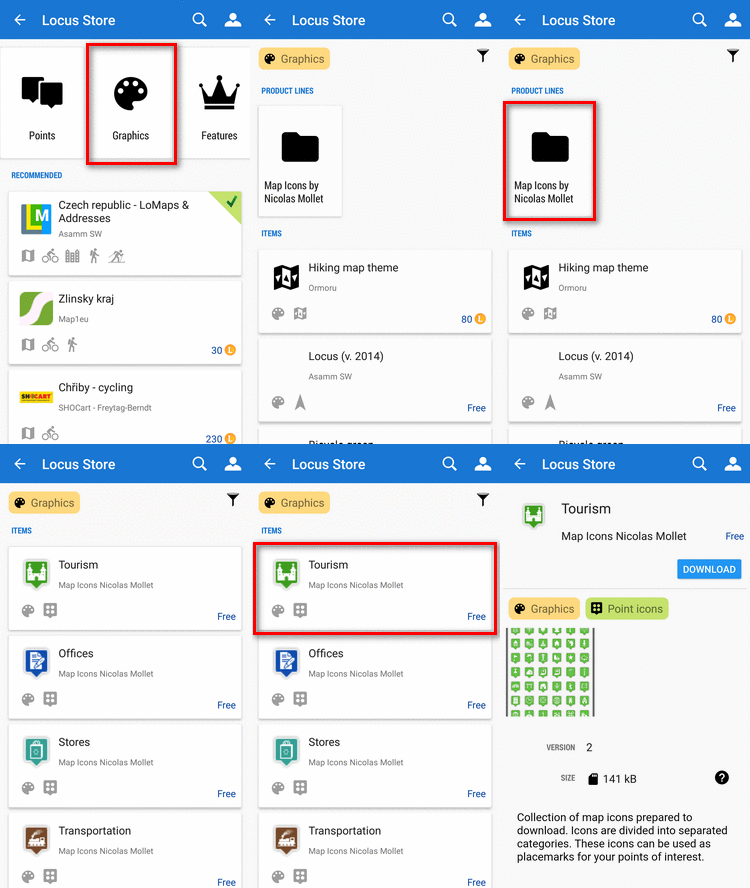

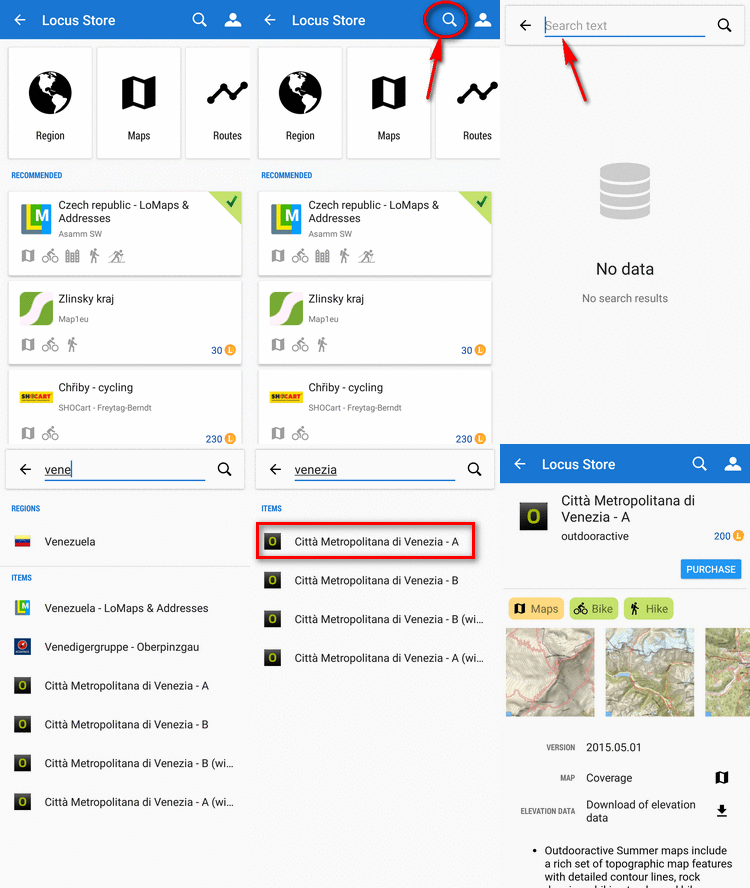
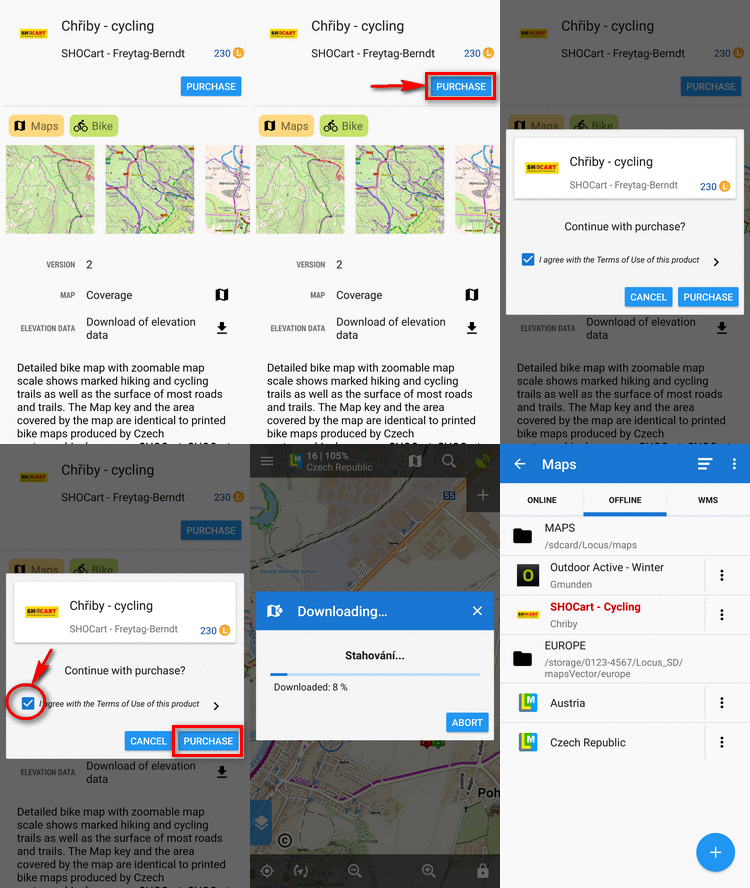
Purchasing and downloading requires login to My Locus profile (if you did not do so when purchasing LoCoins)