Table of Contents
Crash Reporting
When the application unexpectedly stops or closes down and a crash pop-up window is displayed, or one of Locus Map's features does not work properly or does not work at all,…
Please do the following:
- repeat the action leading to the error at least once more.
- long-press Locus Map's main menu button to open a hidden Public tools menu
- tap Upload to support:
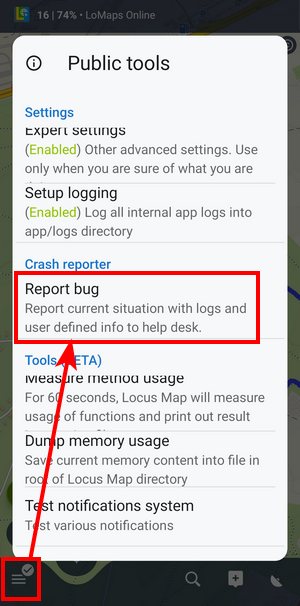
- a set of logs and a memory dump are generated:

- add a description of actions leading to the error and tap SEND.
- a confirmation dialog appears:

Tap Notify support to create a new private ticket on the Helpdesk containing the reference ID and other info - patiently await the support response - this usually doesn't take longer than 24 hours (except weekends)
What if the app can't even start?
Sometimes, none of the methods mentioned above help identify the problem (e.g., when the app cannot be started at all), and you are asked by the helpdesk to create a system bug report.
- please reproduce all actions leading to the app crash again