

Translated from English by gtranslate.io
This is an old revision of the document!
If you decide to abandon Locus Map for whatever reason, and you need to delete your user account and all associated data, please ask for the account deletion. You can do so in your user profile in the Android and iOS apps or on the web:
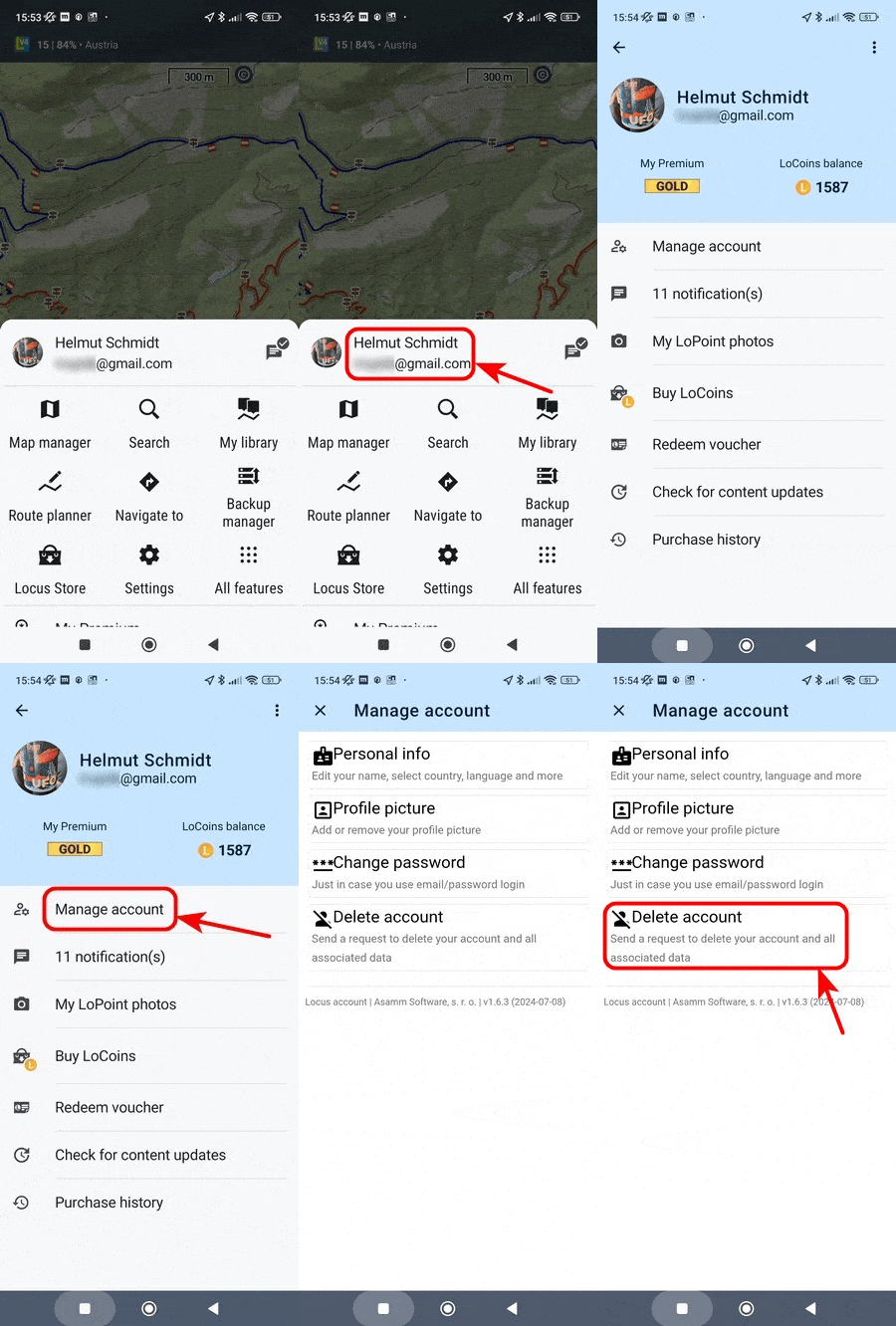
Main menu > User profile > Manage account > Delete account
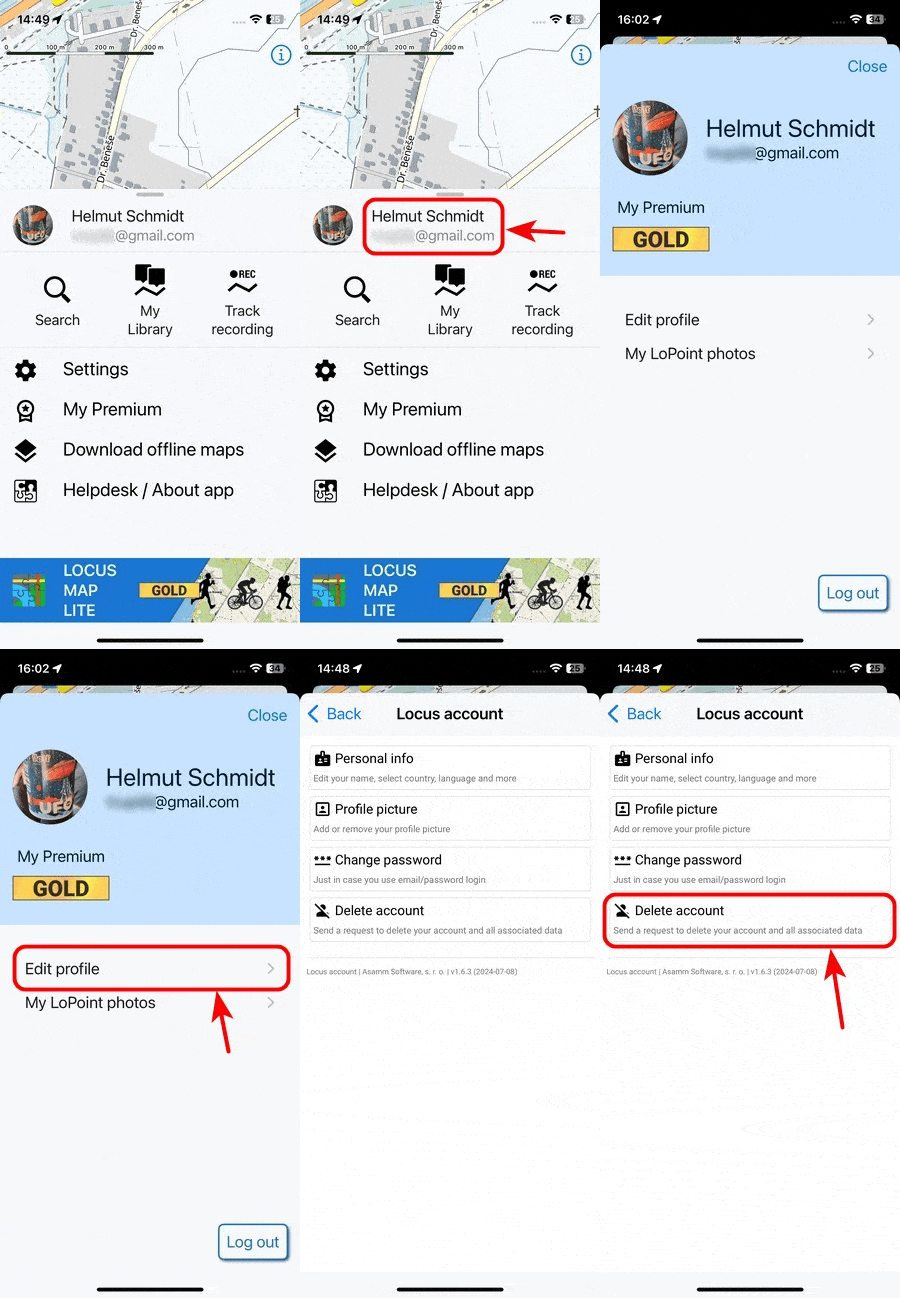
Main menu > User profile > Edit profile > Delete account
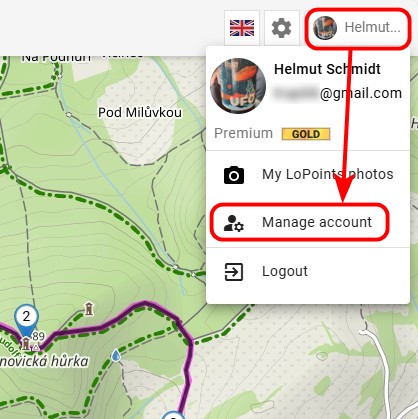
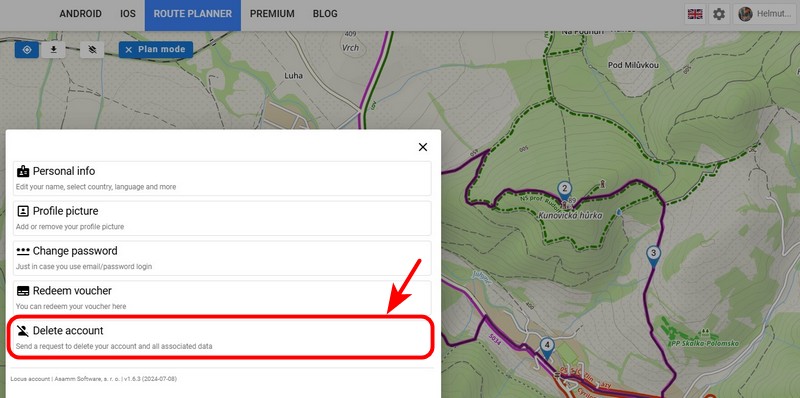
Visit web.locusmap.app > User profile > Manage account > Delete account
The deletion request is protected with a triple confirmation so you can't do it by accident:
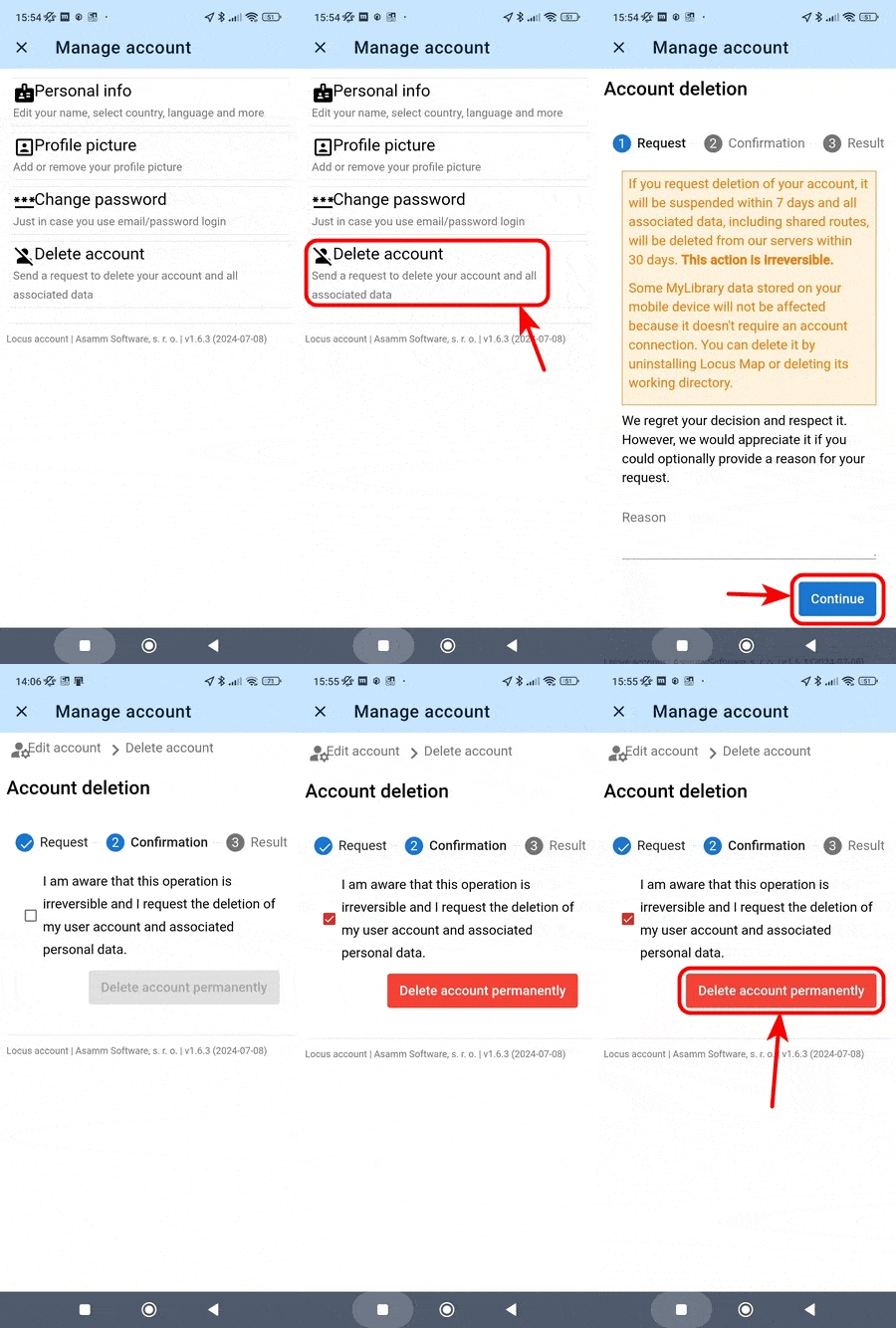
After your deletion request is received, the process of deleting your Locus account and all associated data is started within 7 days:
As this process is very complex and engages several services, it can take a few workdays to complete.
Deleting the Locus account does not cancel your Premium subscription!!!
The Premium subscription is managed by Google Play or Apple Store and can only be cancelled when your Locus account is active, either within the My Premium section of the main menu or in your Google Play/Apple Store account. More info >>


